Better systems.
Bolder experiences.
From how a business works to how people experience it. Technology and design, working in the same direction.
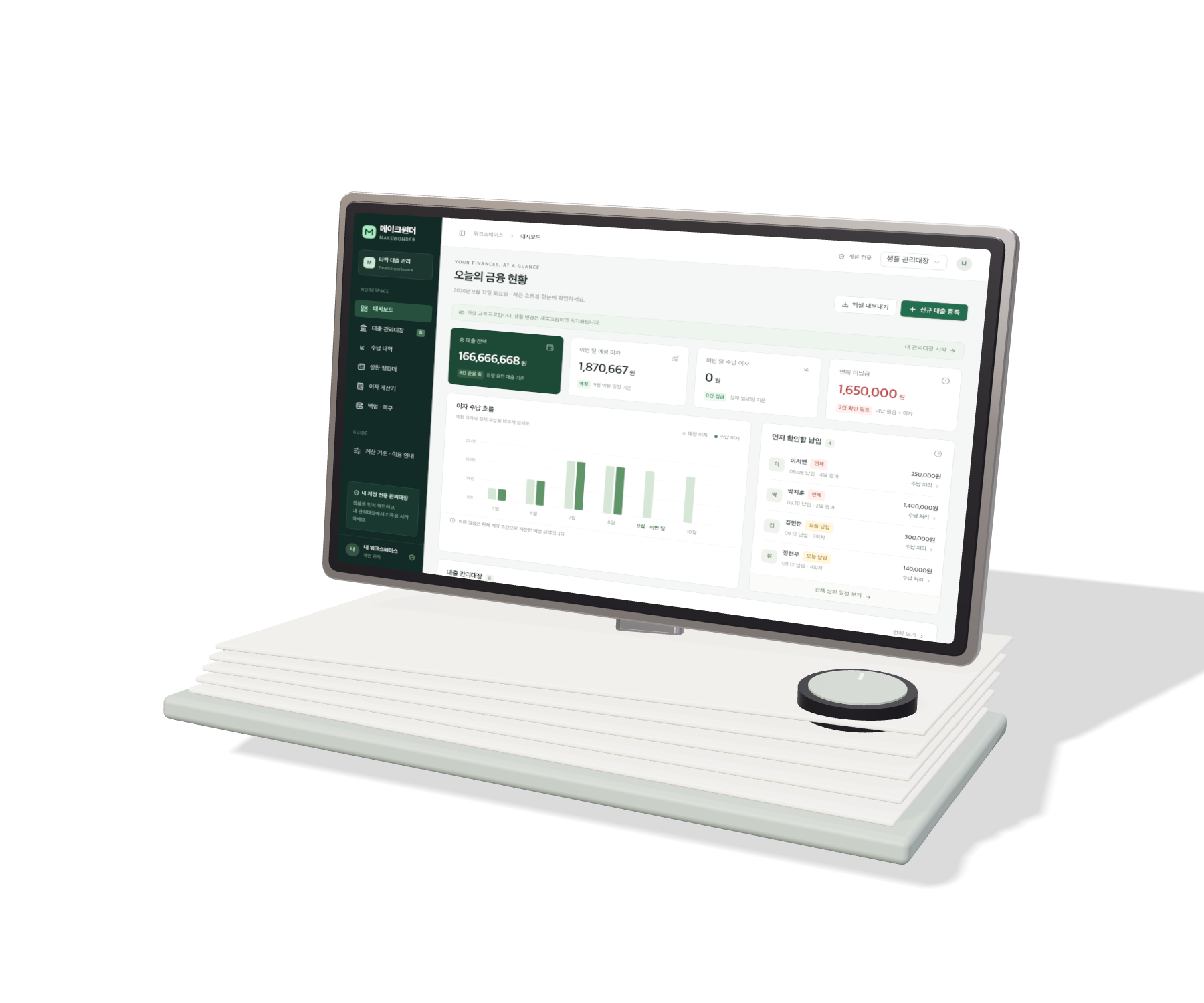
Less repetition.
More clarity.
Intake, classification, checks, approvals and reconciliation. Connect fragmented work and data, with a clear path for exceptions.
Explore systemsA first impression.
An everyday product.
Brand websites, mobile apps, platforms and internal tools. Design the user experience and the business behind it, through launch and beyond.
Explore digital productsOne striking scene.
A world to remember.
Concept, music, character, film and interaction. Plan and produce them under one direction, with a story that belongs to your brand.
Explore original worldsOne focused need.
A connected business.
Bring together the disciplines your project needs, with one team accountable for how they connect.
Change how the work flows.
See what
we make possible.
See how strategy, development, operations and content come together in client work and our own products.

ABOUTUS
Customer touchpoints and operations across the US, GCC and Japan.
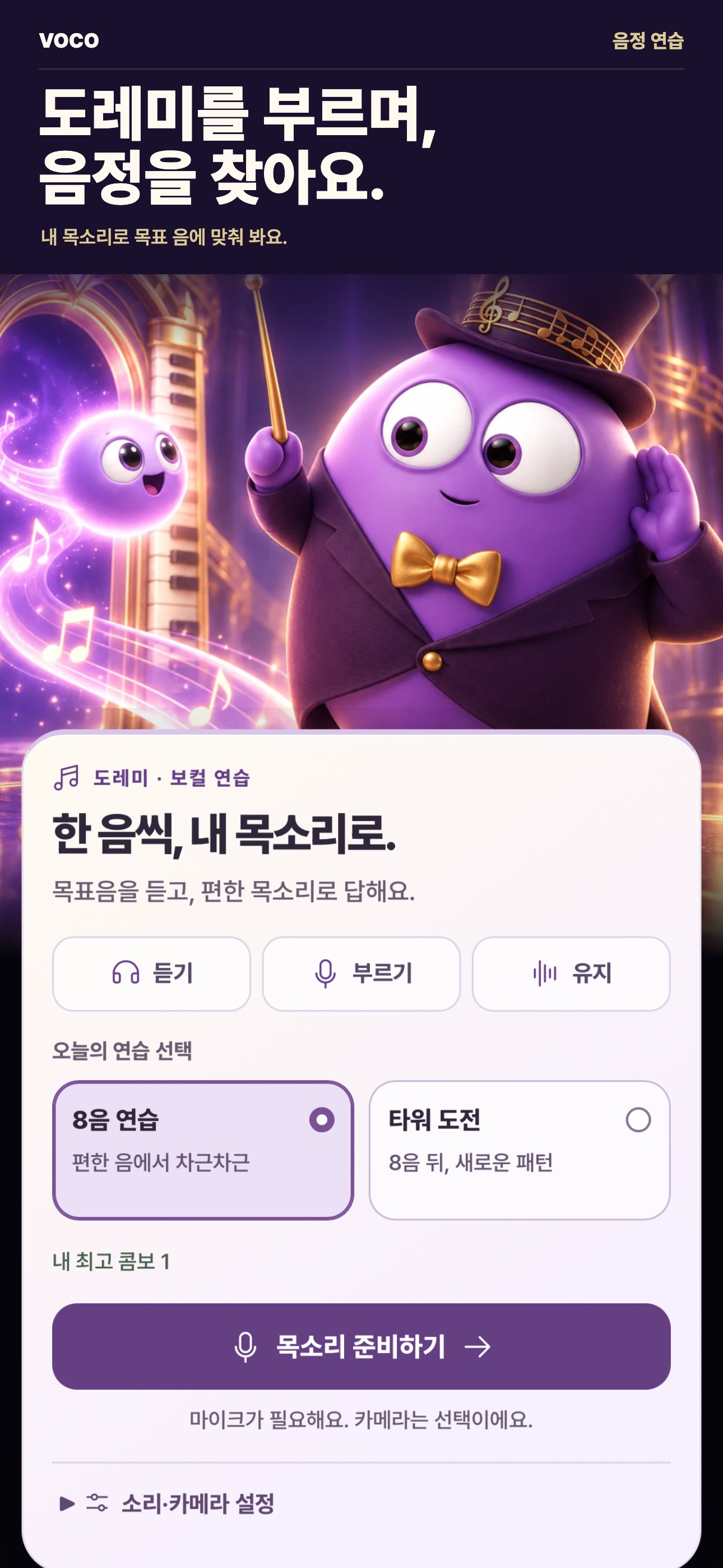
VOCO
A working app, its own character, original music and films.

Love Story
An original world connecting music, film and interaction.
Start with the work
you want to change.
Open a discipline to explore its scope, build process and workflow preview.
Business operations
Bookkeeping & administration
From receipts to monthly close
Connect the records, checks and approvals behind the monthly close.
- Collect receipts and statements; classify items and draft entries
- Reconcile payments; track receivables, payables and settlements
- Expense claims, payment requests and reviewer approvals
- Monthly close reports and records for the tax reviewer
People, payroll & HR
From onboarding to payroll inputs
Reduce repeated entry across the systems that support your people.
- Applicant intake, interview scheduling and hiring stages
- Onboarding documents, account provisioning and offboarding
- Attendance, leave and shift requests with approvals
- Payroll and allowance calculations under company rules, with review
Sales & CRM
From lead to quote, contract and renewal
Connect the first inquiry to follow-ups, contracts and renewals.
- Unify website, campaign and form leads; assign ownership
- Contact history, sales stages and next actions
- Generate quotes and proposals; schedule follow-ups
- Track contracts, delivery, renewals and sales performance
Customer service
From inquiry to resolution
Connect recurring questions to your knowledge base and route exceptions with context.
- Unify and classify email, chat and form inquiries
- Search product and policy knowledge; compose responses
- Returns, exchanges and refund approval flows
- Overdue alerts, agent handoffs and satisfaction feedback
Commerce & service operations
Commerce & orders
From sales channels to settlement
Bring orders, inventory and settlements from multiple channels together.
- Collect store and marketplace orders; normalize options
- Inventory sync, low-stock alerts and fulfillment requests
- Shipment tracking, cancellation, exchange and return flows
- Reconcile channel fees, payouts and sales settlements
Procurement & logistics
From purchase request to delivery
Give purchasing, warehouse and delivery teams one view of the work.
- Purchase requests, supplier quote comparisons and approvals
- Barcode and QR stock movements across warehouses
- Fulfillment, dispatch, delivery status and proof of delivery
- Match orders, receipts and invoices; flag discrepancies
Manufacturing & fieldwork
From work order to inspection
Connect field records directly to office workflows.
- Production and site work orders with resource scheduling
- Mobile inspections, work photos and progress records
- Defect intake, corrective actions and reinspection
- Maintenance schedules, material usage and site reports
Bookings, members & learning
Bookings, classes and spaces in sync
Connect recurring operations for venues, classes, hospitality and appointment services.
- Booking intake, staff and space assignment, conflict checks
- Reminders, rescheduling, cancellations and waitlists
- Memberships, passes, tuition, attendance and renewals
- Service history, customer updates and location reports
Data & intelligent systems
Trading systems
Data, strategy, execution and risk
Implement defined trading rules from strategy research through execution and monitoring.
- Market, order-book and execution data; broker and exchange APIs
- Backtesting with fees and slippage, plus paper trading
- Strategy orders and cancellations, duplicate prevention and reconnect handling
- Position and P&L monitoring, order limits, permissions and emergency stops
Documents & contracts
From document intake to approval
Extract records, populate templates and route documents to the right reviewer.
- Extract fields from PDFs and scans; check missing information
- Template-based contract, application and certificate drafts
- Review, approval, e-signature and version history
- Expiry, renewal and filing alerts; document search
Data, analytics & reporting
Scattered records, useful decisions
Connect reports and dashboards to the underlying business data.
- Collect and clean revenue, cost, customer and operations data
- Business and team metrics, P&L and operations dashboards
- Generate and distribute daily, weekly and monthly reports
- Anomaly and missing-data detection, demand forecasts and alerts
AI & integrations
Connect the tools you already use
Connect the work people move between spreadsheets, email, ERP and other tools.
- Connect existing systems through APIs, webhooks and RPA
- Internal knowledge search, Q&A and AI work tools
- Rule-based routing, actions, approvals and human handoffs
- Permissions, activity logs, retry handling and recovery
Digital products & creative
Websites & brands
Brand presence and customer journeys
Shape your brand’s first impression and the customer journey that follows.
- Corporate and brand websites; campaign landing pages
- Brand direction, content architecture and design systems
- Localized experiences and content management
- Inquiry, booking and signup flows connected to operations
Apps, platforms & SaaS
From product idea to live service
Build the apps your customers use and the products your team opens every day.
- iOS and Android apps, web apps and service MVPs
- Accounts, subscriptions, payments and membership products
- Marketplaces, learning and community platforms
- Admin tools, notifications and service operations
Film, music & character
Music videos and original brand worlds
Bring scenes, music and character together under one creative direction.
- Original music videos, brand films and product films
- Concepts, storyboards, visual direction and editing
- Character worlds, music and interactive content
- Advertising, short-form edits and localized versions
3D & interactive experiences
Experiences to explore and interact with
Turn products and brands into digital experiences people can explore.
- Interactive brand websites and real-time visuals
- 3D product viewers and material or color configurators
- Motion responding to scroll, touch and pointer input
- Digital exhibitions, experiential content and microsites
Have something else
in mind?
Connect a few spreadsheets or redesign how several teams work together. Start with the tools you use, the work you repeat and the result you want to change.